Spawn Map Designer (RPG Maker MV & MZ)
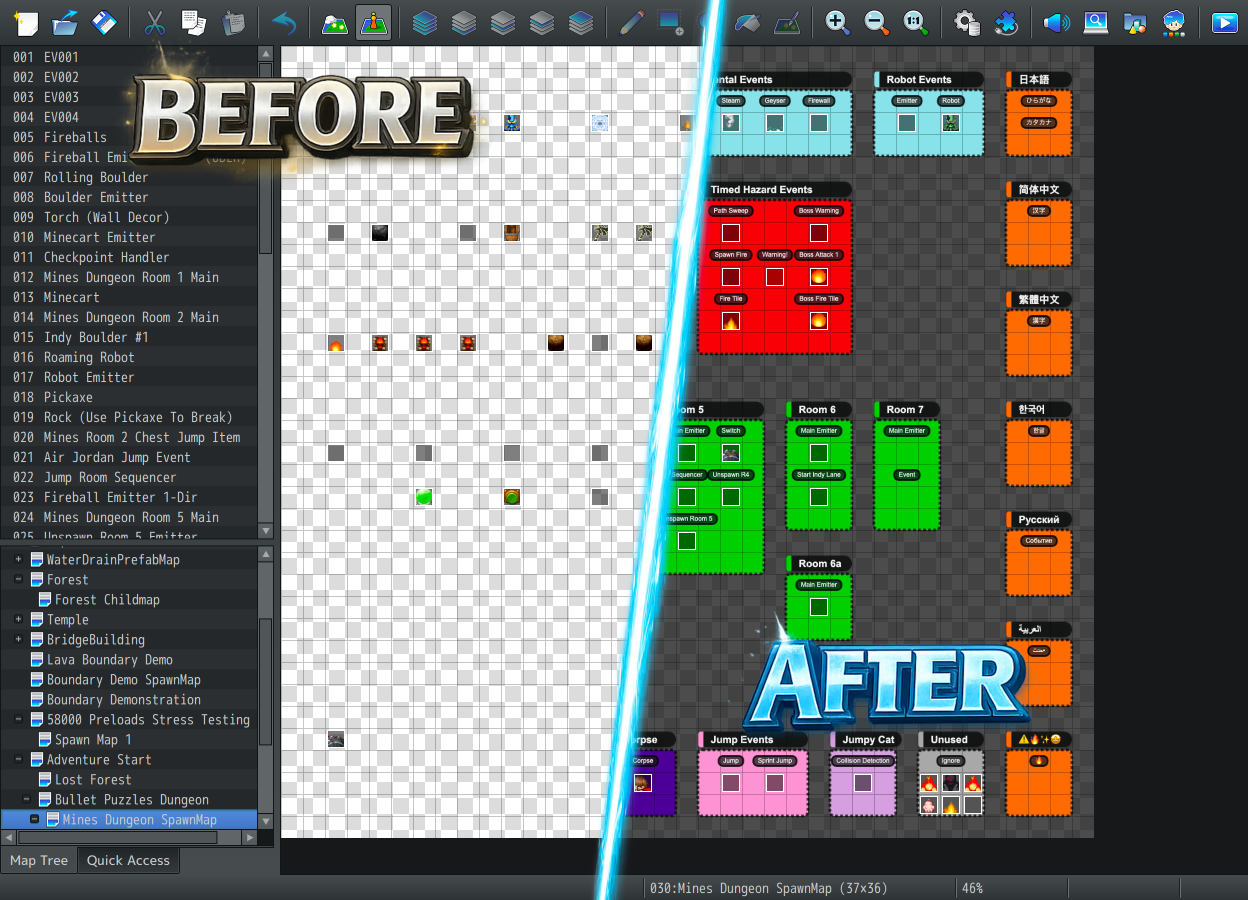
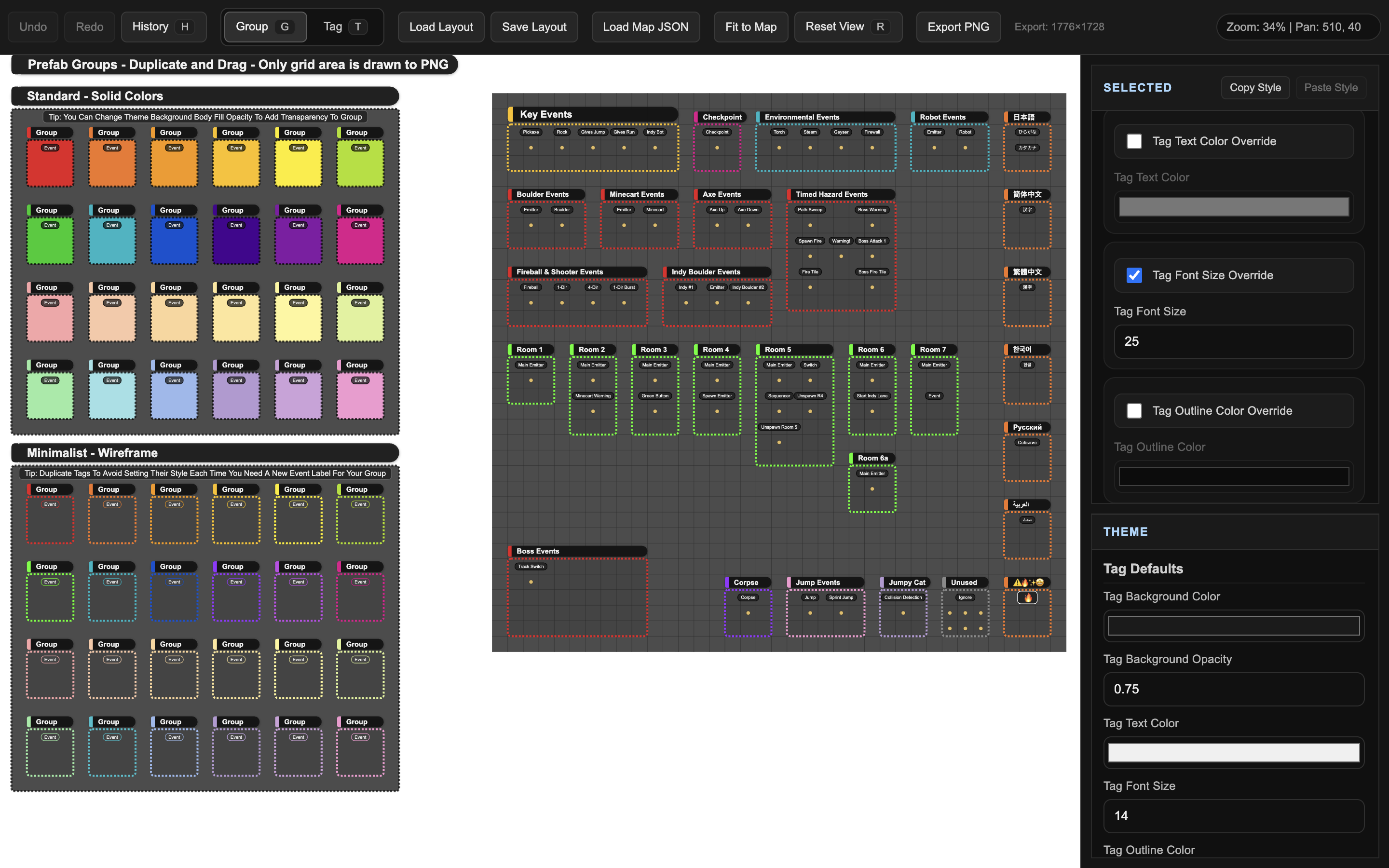
Spawn Map Designer is a lightweight companion app for RPG Maker MV/MZ that helps you visually organize “spawn maps” used for template and spawn events.
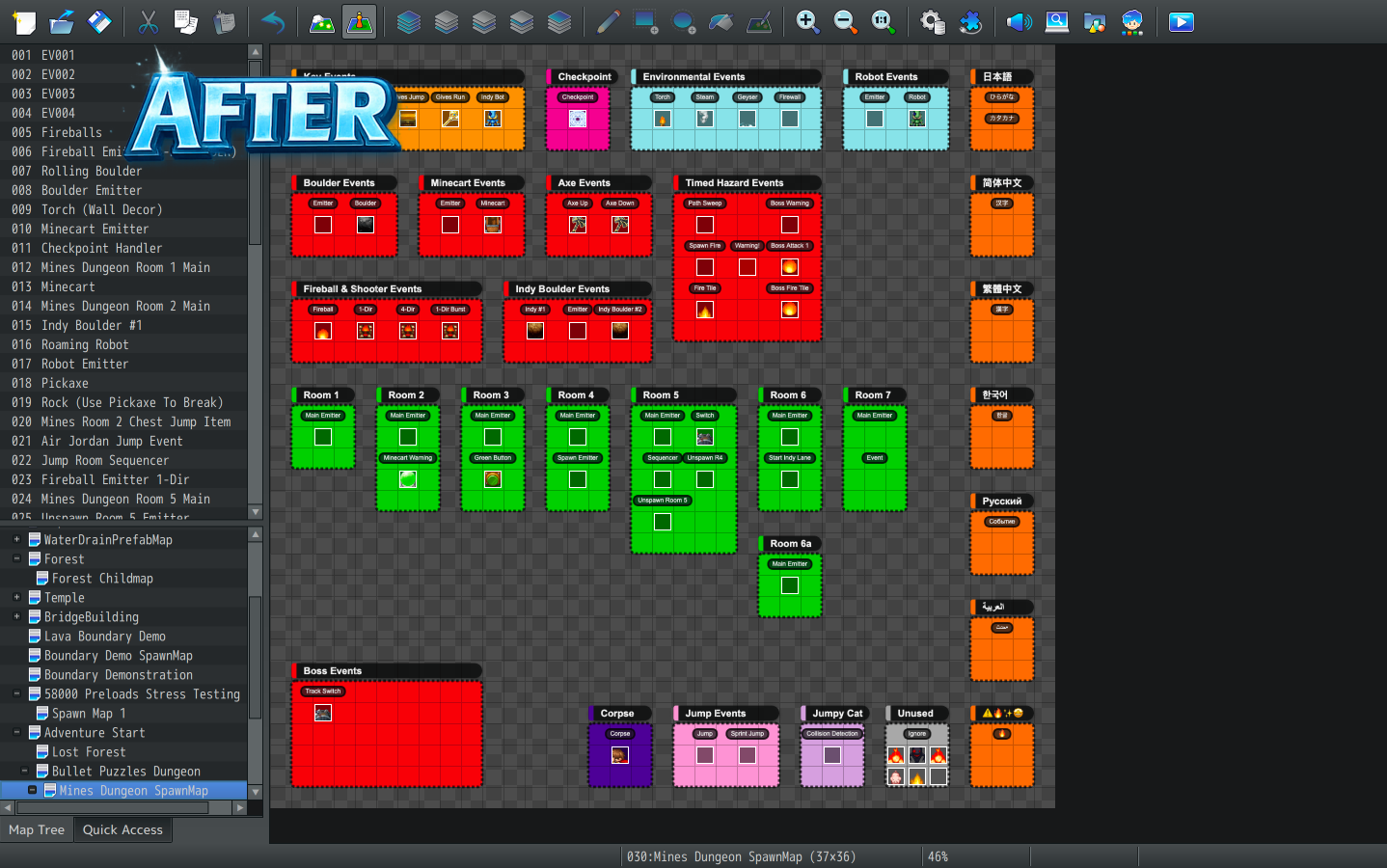
Group events into clean labeled boxes, keep everything readable, and export polished layout images for use in RPG Maker and never fear opening your spawn maps again!
What it does
✅ Groups + Tags
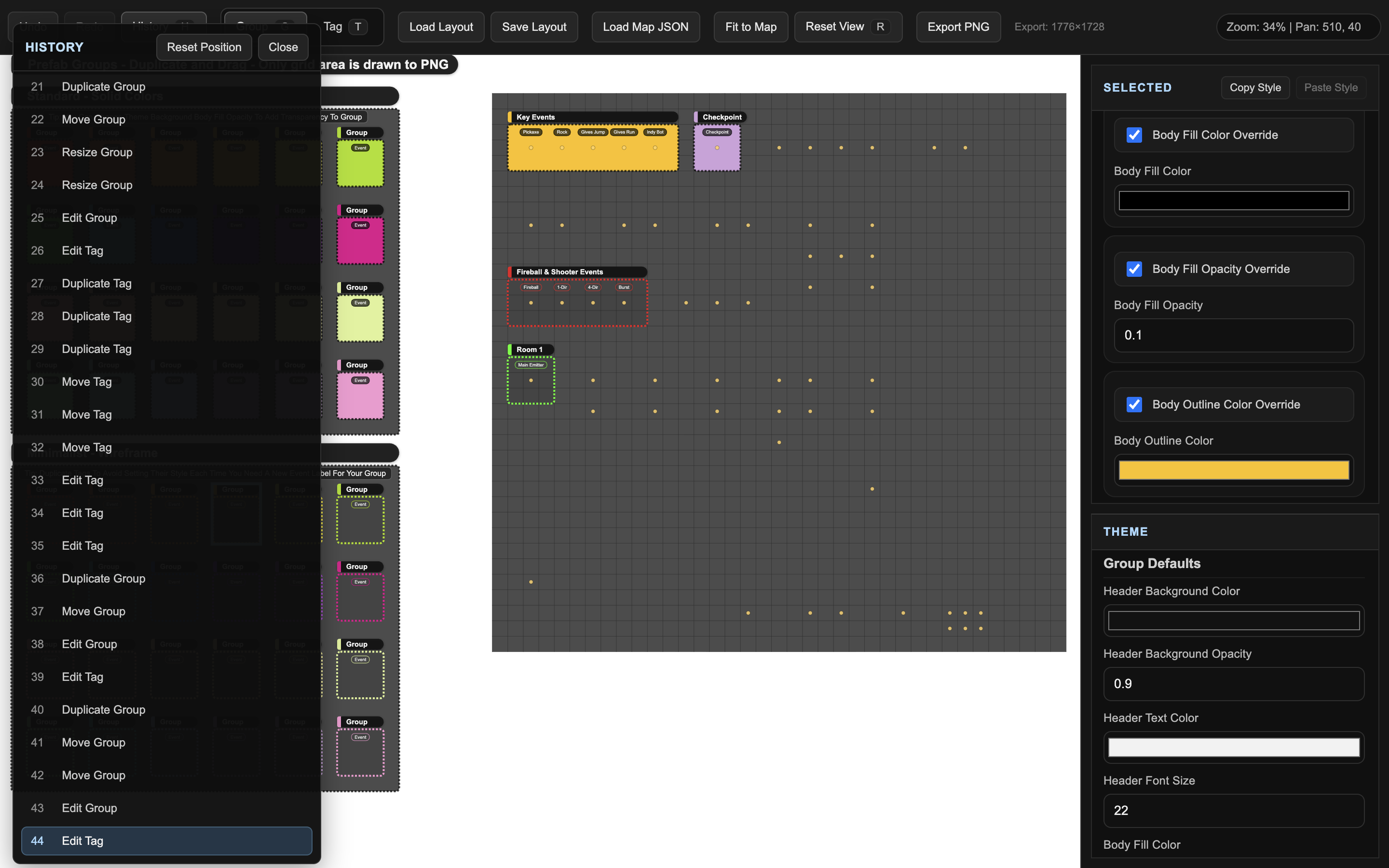
Create labeled group boxes and event tags so your spawn map is easy to understand at a glance.
✅ Prefab group templates
Start fast using built-in prefab group styles (solid, wireframe), then customize.
✅ Reads RPG Maker map data
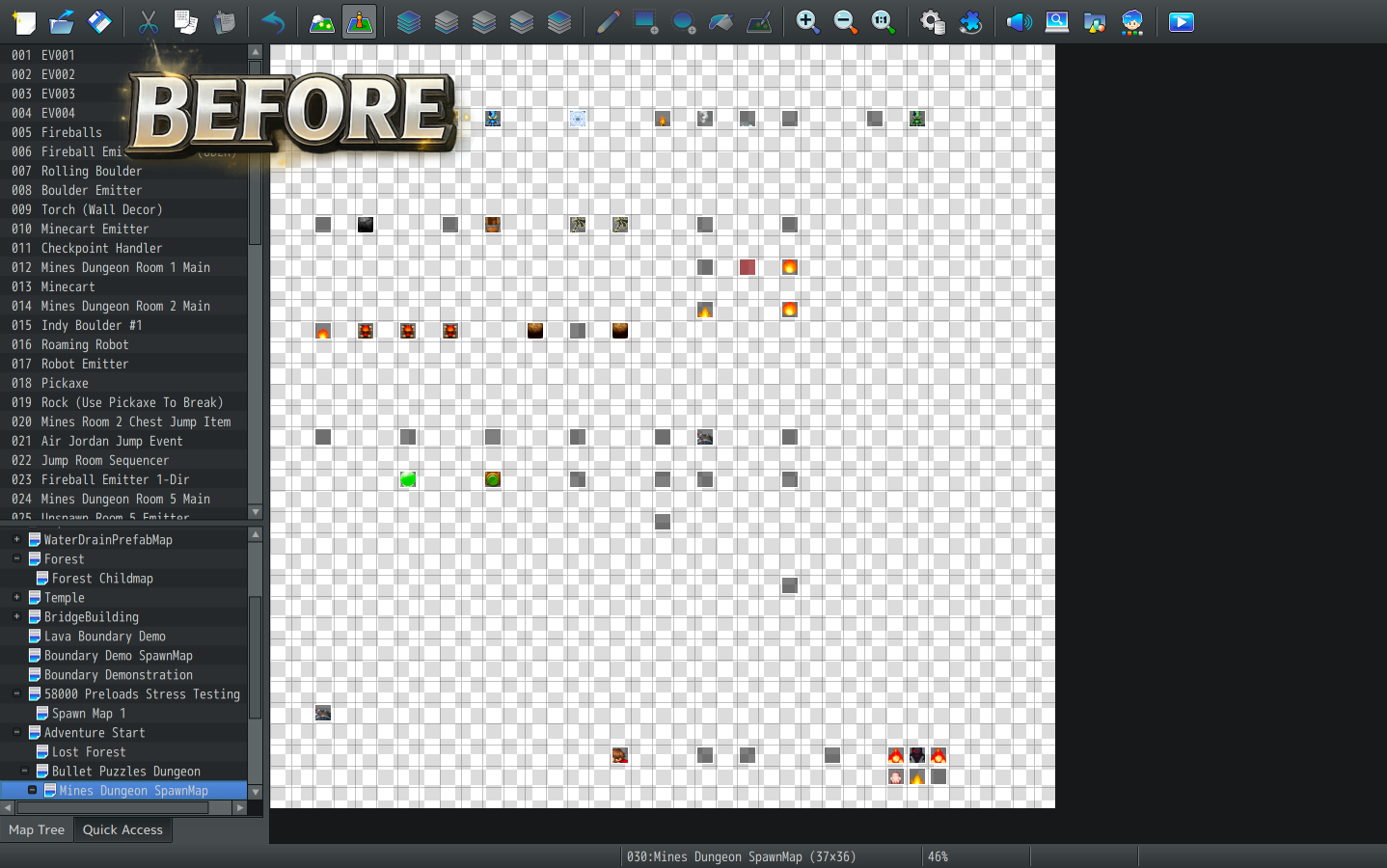
Load a MapXXX.json and see event markers so you can build a clean layout without guesswork.
✅ Stays in sync
Move & rename events, or resize the map and the changes are reflected automatically in Spawn Map Designer, enabling a smooth workflow when creating, updating, expanding, or rearranging layouts.
ex: Move event → Save RPG Maker Project → Tab back to Spawn Map Designer → Event Marker updates automatically.
✅ Export PNG
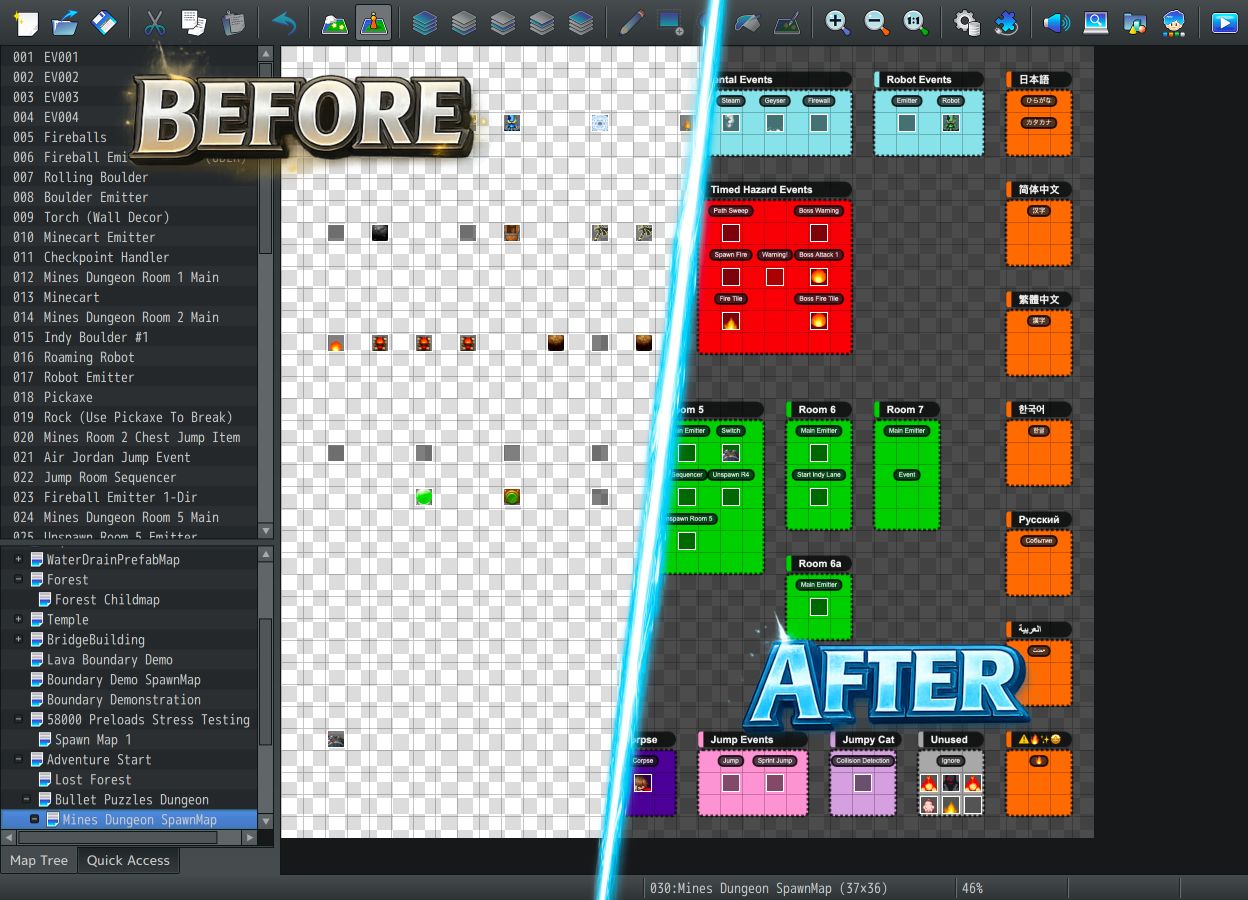
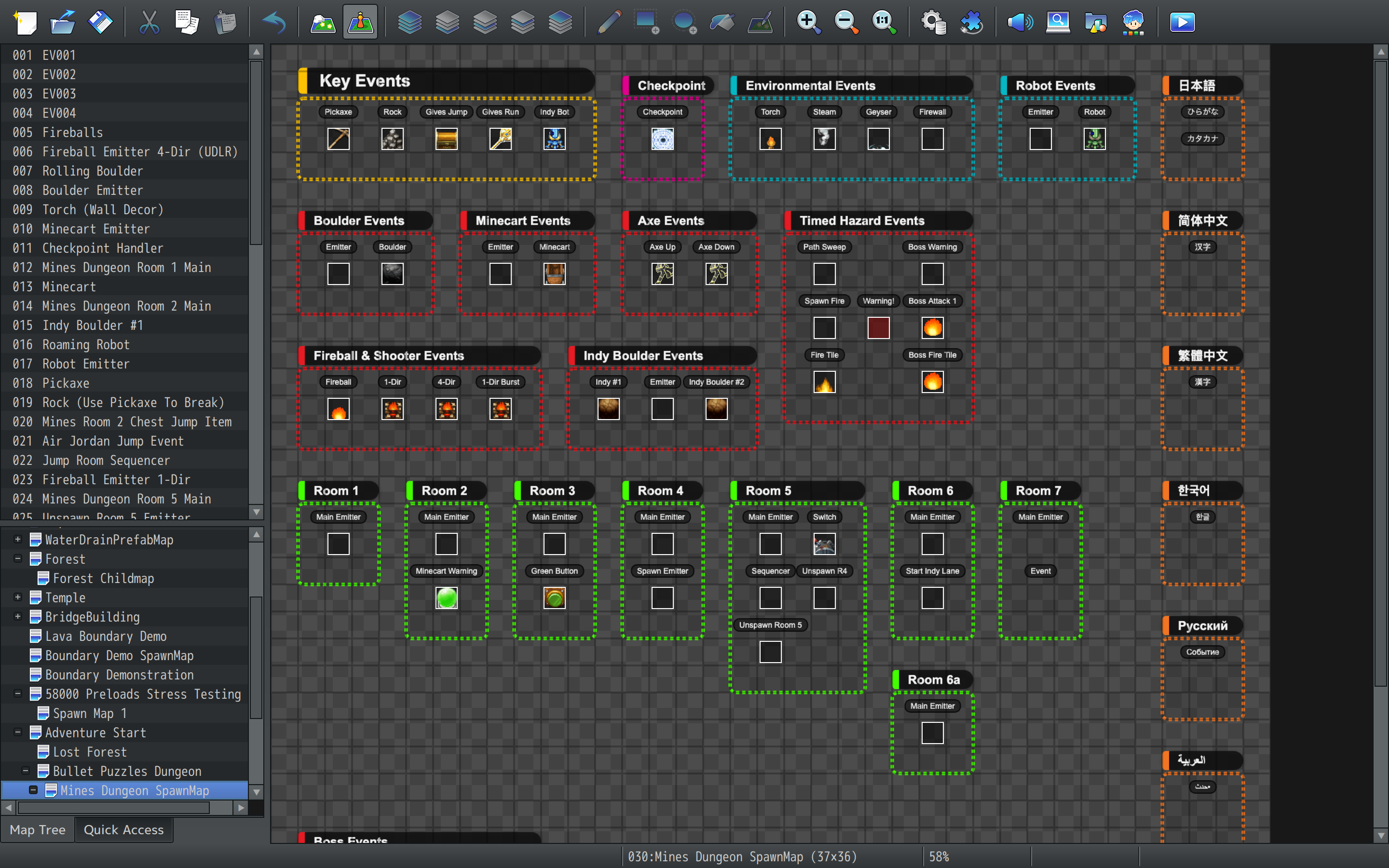
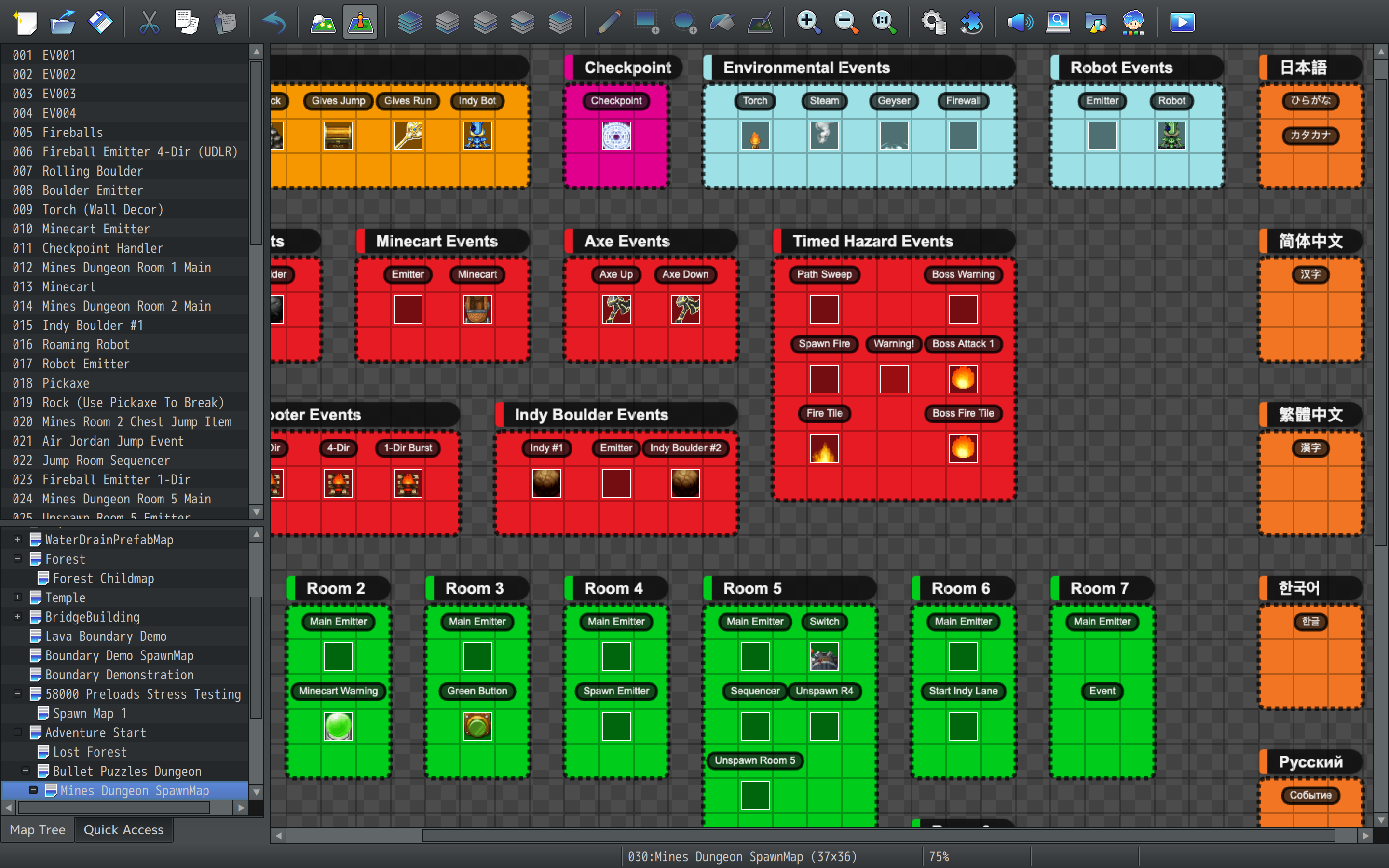
Generate clean layout PNGs you can import into RPG Maker as map background references.
✅ Undo/Redo + History Panel
Time-travel through edits and recover from mistakes instantly.
✅ Copy/Paste groups between app instances
Copy a group (including its tags) and paste it into another open Spawn Map Designer window.
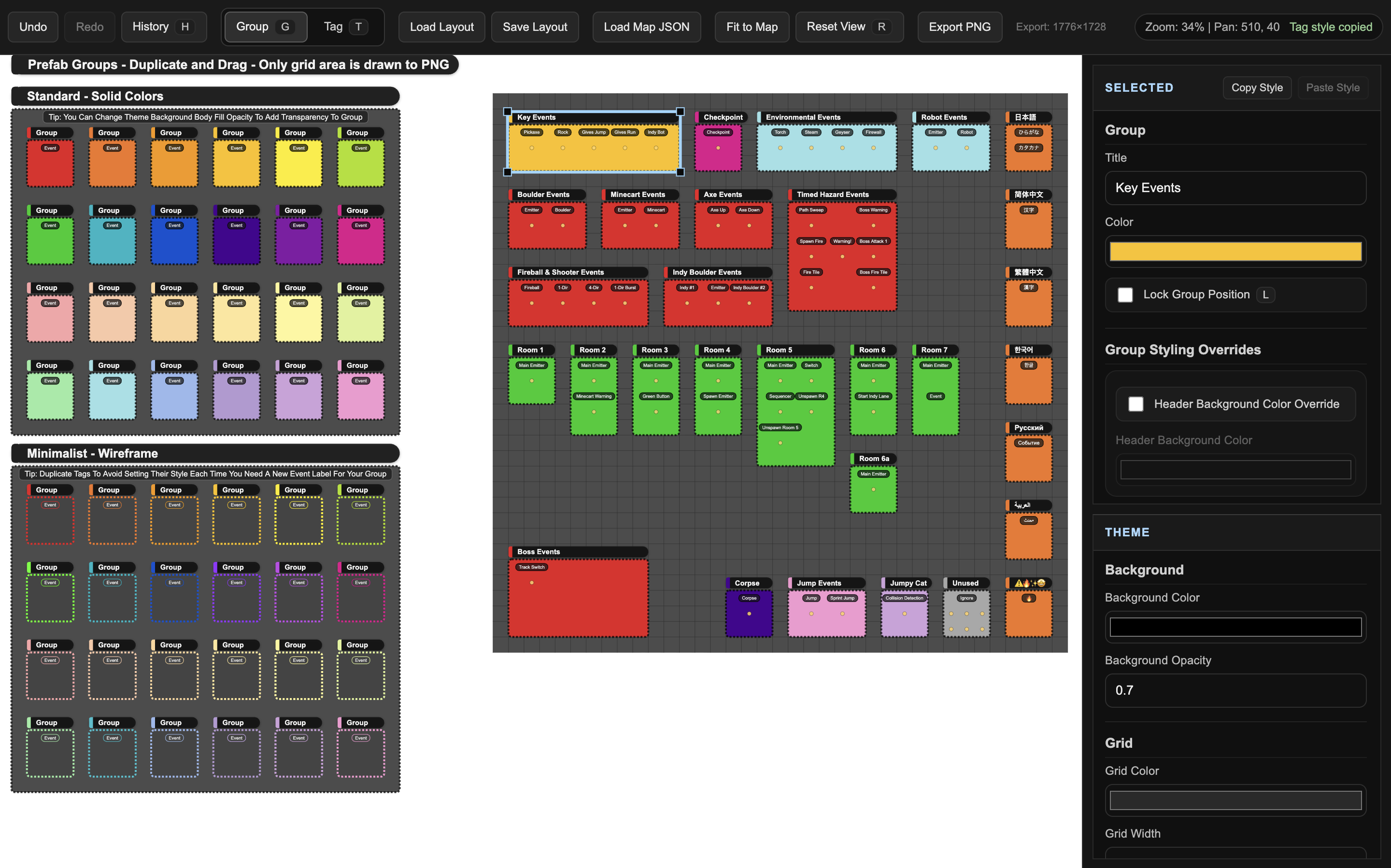
✅ Copy/Paste Group & Tag Style
Copy the style of a group or tag and apply it to another group or tag allowing you to quickly change the look of your layout.
✅ Keyboard-Driven Workflow
Utilize keyboard shortcuts to streamline your workflow.
Shortcuts
Editing
- Ctrl+Z / Ctrl+Y → Undo & Redo
- Ctrl+C / Ctrl+V → Copy & Paste
- Ctrl+D → Duplicate Group / Tag
Styling
- Ctrl+Alt+C / Ctrl+Alt+V → Copy & Paste Group/Tag Style
Navigation
- R → Reset View
- H → History Panel
Output
- Ctrl+S → Save Layout
- CTRL+E → Export PNG
Tools
- G → Group Tool
- T → Tag Tool
- L → Lock/Unlock Group/Tag
Quality of Life
- Double Click → Quick Rename Group/Tag
Who this is for
-
RPG Maker developers who use spawn/template event maps and want a clean workflow
-
Plugin users (like event spawners) who want professional layouts
-
Anyone who wants clean professional grouping for template events
Quick start
-
Load Map JSON → select your RPG Maker MapXXX.json
-
Duplicate & Drag prefab groups into the scene, then resize/rename/tag
-
Export PNG → to your projects img/parallaxes folder and be sure to Save Layout so you can come back later
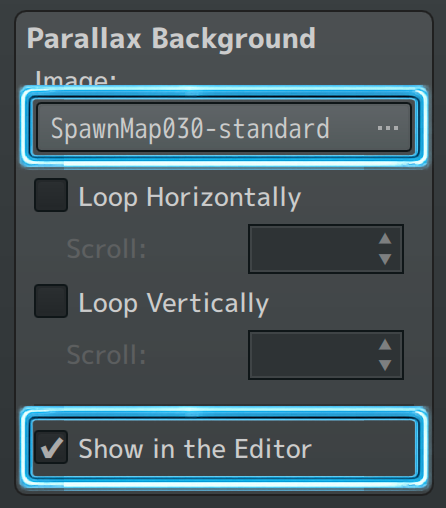
In RPG Maker → Set exported PNG to your spawn maps Parallax Background Image and check Show in Editor.
What’s included
-
Spawn Map Designer (Windows build)
-
Starter layout + prefab groups
System requirements
-
Windows 7+ (64-bit)
-
macOS build: Coming Soon
FAQ
Does this edit my RPG Maker project?
No. It only reads map JSON data and creates separate layout and PNG files. Your RPG Maker project files are never modified.
Does it support MV and MZ?
Yes, it works with the standard RPG Maker map JSON format used by MV/MZ.
Do I need your spawner plugin to use this?
No, it’s a standalone tool. It’s especially useful if you work with spawn/template maps. Many plugins use separate maps to store events, this tool will help organize all of them.
What’s a “layout”?
A separate .layout.json file that stores your groups/tags/theme/history so you can reopen the same setup later. This is your layouts save file, it can be stored anywhere.
How do I increase canvas size to have more room?
Ensure you have map data loaded into Spawn Map Designer and then inside of RPG Maker simply increase the size of the map and save.
Terms of Use
License Grant
You are granted a non-exclusive license to use Spawn Map Designer for both Commercial and Non-Commercial projects.
You may use it for any number of projects you create.
Distribution
-
You may not redistribute Spawn Map Designer (the application, its files, or modified versions) without explicit permission.
-
You may not resell, repackage, or share the tool itself.
Generated Output
-
Any images (PNGs) or layout files generated by Spawn Map Designer are yours to use freely in your projects, including commercial games.
-
You are not required to credit Spawn Map Designer for generated assets.
Reverse Engineering / Reuse
-
You may not extract, reuse, or repurpose parts of the application, assets, or internal logic to create a competing tool.
-
You may not take credit for creating Spawn Map Designer or claim it as your own work.
Modification
-
Modification of the application itself is not supported.
-
I do not provide support for issues caused by modifying the tool or its files.
Attribution (Optional)
Credit is not required, but if you choose to credit, something like the following is appreciated:
Spawn Map Designer
by Craig “Ritter” Barger
https://notritter.itch.io/
If you’re tired of spawn maps that look like a jump scare…
Spawn Map Designer makes them clean, readable, and maintainable.
Purchase
In order to download this tool you must purchase it at or above the minimum price of $15 USD. You will get access to the following files:
Development log
- Spawn Map Designer v1.0.3 - Copy/Paste Color Context MenuFeb 14, 2026
- Spawn Map Designer v1.0.2 - Resize ImprovementsFeb 11, 2026
- Spawn Map Designer v1.0.1 - Workflow & Quality-of-Life UpdateFeb 10, 2026
- Spawn Map Designer Released!Feb 09, 2026
Leave a comment
Log in with itch.io to leave a comment.